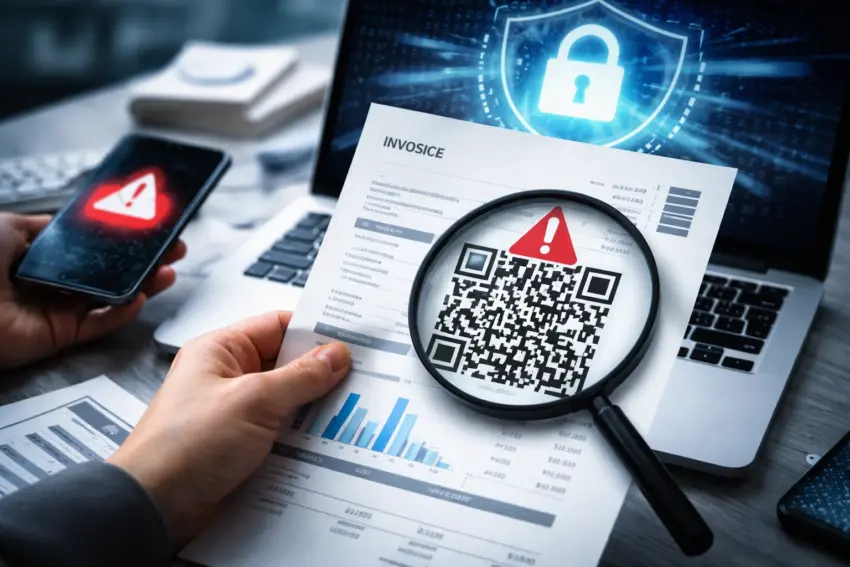
Cybersecurity teams are warning about a phishing wave that uses QR codes embedded in invoices, delivery notices, and payment reminders to trick recipients into handing over credentials or approving fraudulent payments. The tactic is gaining traction because it bypasses many traditional email filters: a QR code is an image, and the malicious destination is hidden until someone scans it with a phone.
How the QR-invoice scam works
Attackers typically send an email that looks like a routine billing message—often referencing a purchase order, overdue invoice, or “updated bank details.” Instead of a clickable link, the message includes a QR code labeled as a quick way to “view the invoice,” “confirm payment,” or “download the document.”
- Email arrives claiming an invoice, late fee notice, or account statement.
- QR code is presented as the fastest way to view or pay.
- User scans with a phone, often outside the company’s security tooling.
- Phishing page opens (Microsoft 365, Google Workspace, banking portal, or vendor login lookalike).
- Credentials or payment approval is captured, sometimes followed by MFA fatigue prompts or fake “verification” steps.
Why QR codes help attackers
QR codes shift the attack surface from the desktop—where corporate security controls are stronger—to mobile devices, where users may have fewer protections and are more likely to act quickly. They also reduce the chance that a recipient will hover over a link and notice a suspicious URL.
- Less visible destination: the URL is hidden until scanned.
- Filter evasion: image-based QR content can be harder to analyze than text links.
- Mobile context: users scan on personal phones with weaker monitoring.
- Speed and habit: “scan to pay” workflows are familiar, lowering suspicion.
Common targets and consequences
Finance and procurement teams are prime targets because they routinely handle invoices and supplier communications. But attackers also aim at small businesses and freelancers, where a single compromised mailbox can be enough to reroute payments or impersonate a vendor.
- Business email compromise: attackers take over mailboxes to monitor invoices and change payment instructions.
- Credential theft: stolen logins are used for lateral movement and data access.
- Fraudulent payments: victims are redirected to fake “bank transfer” instructions or payment portals.
- Supplier impersonation: attackers pose as vendors to request urgent settlement.
Red flags to watch for
QR-based phishing relies on urgency and routine. The safest approach is to treat any unsolicited QR code in a billing context as suspicious until verified through an independent channel.
- Unexpected invoices or vague line items with no clear order reference.
- Pressure language such as “final notice,” “late fee today,” or “account will be suspended.”
- QR code as the only option to view details or pay, with no normal portal link.
- New bank details or changes to beneficiary information.
- Sender anomalies (lookalike domains, unusual reply-to addresses, odd signatures).
What organizations can do now
Security teams recommend combining user training with technical controls that address the mobile gap. Because QR scams often bypass desktop protections, defenses should include policies for how invoices are received, verified, and paid.
- Enforce invoice verification for any change in bank details, using a known phone number or supplier portal.
- Require two-person approval for new payees and high-value transfers.
- Harden MFA with phishing-resistant methods (security keys/passkeys) where possible.
- Mobile protection for work accounts on phones (managed profiles, safe browsing, device compliance rules).
- QR awareness training focused on “scan-to-login” and “scan-to-pay” risks.
What individuals should do if they scanned a suspicious code
If someone scanned a QR code and entered credentials or approved a prompt, speed matters. The goal is to stop account takeover and prevent payment fraud before attackers can act.
- Change the password immediately (from a trusted device) and log out other sessions.
- Review account security for new forwarding rules, mailbox delegates, or added devices.
- Reset MFA if you suspect it was captured or if repeated prompts occurred.
- Notify IT or your bank quickly if any payment details were shared.
- Report the email so filters can be updated and colleagues warned.
Bottom line
QR-code phishing in invoices is effective because it blends into normal payment workflows and shifts victims onto mobile devices with weaker protections. For businesses, the most important defenses are strict payment-change verification and phishing-resistant authentication. For individuals, the key is to avoid scanning QR codes from unexpected billing emails and to verify invoices through official portals or known contacts before taking action.